A starting point for identification
Similar minerals can look alike in photos. Use the ranked matches and suggested checks to investigate further.
Your pocket field guide
Start with the one that caught your eye. Get a likely name, try a few checks to narrow it down, then save the photos with your notes and, if you like, where you found it.
Your first 3 scans are free. For iPhone.
How it works
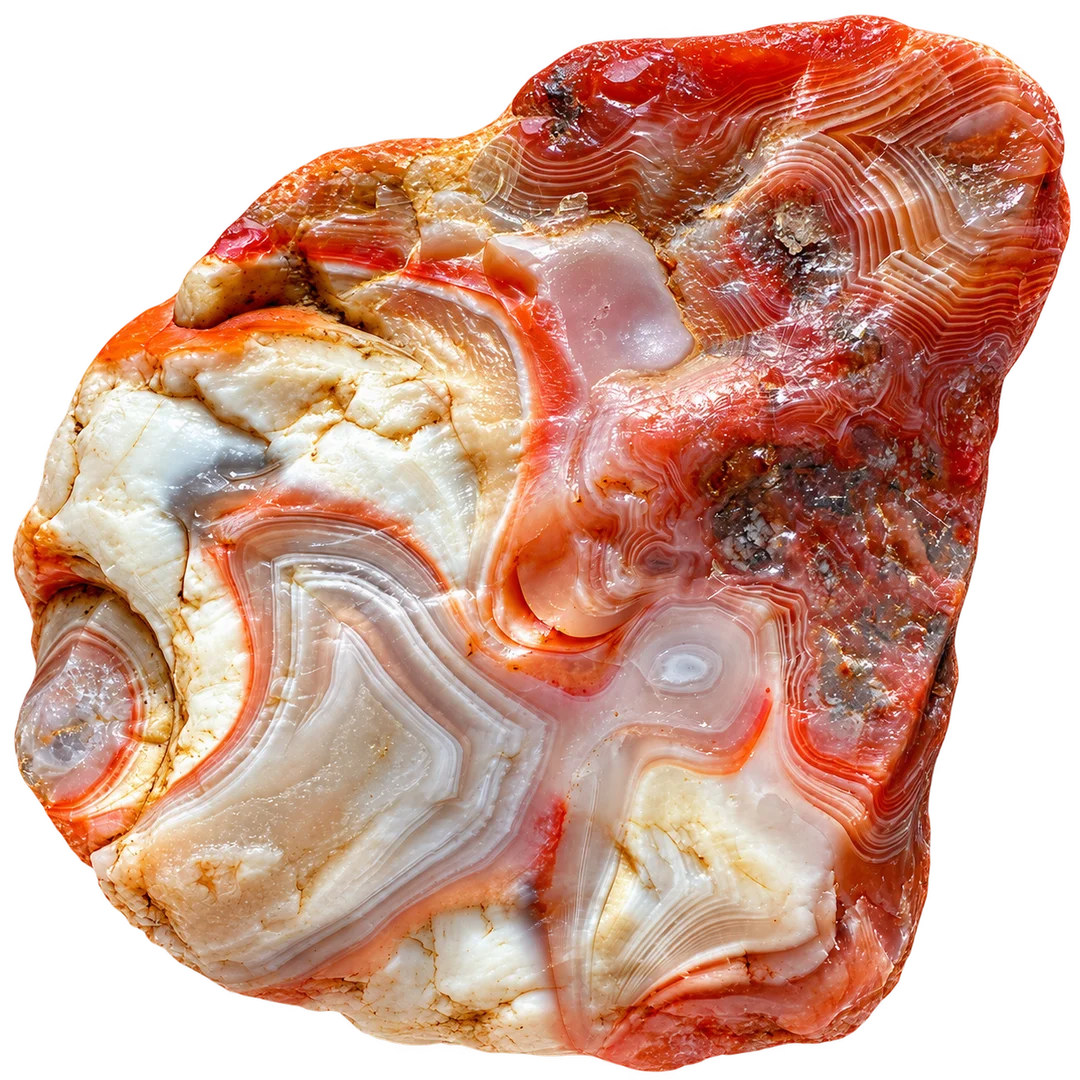
Maybe it’s a band of color or an unusual shape. Take a photo of your find in good light, or up to three from different angles with Premium.
Compare three likely matches and use the suggested checks to see which one fits.
Save the photos, add a note and choose whether to keep the location.
01 / Identify your find
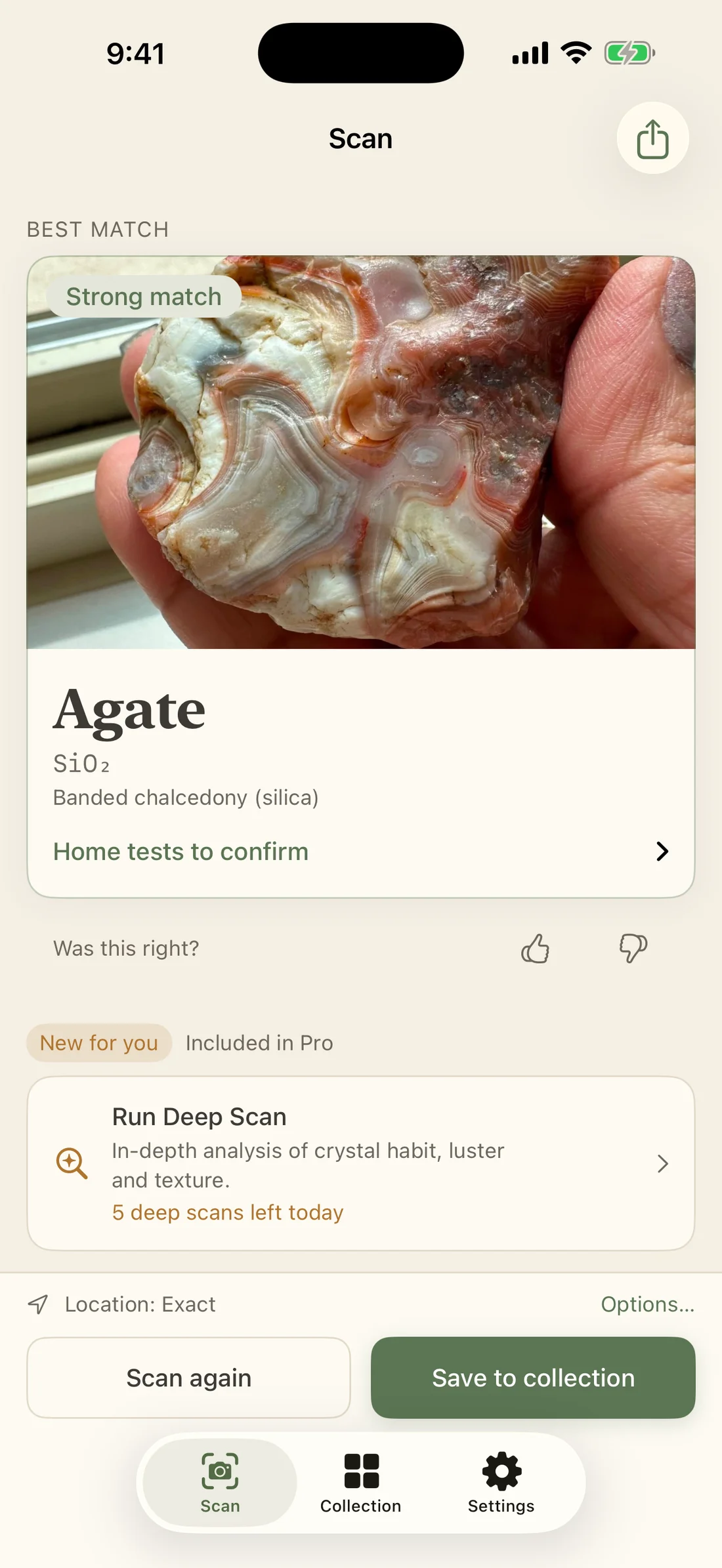
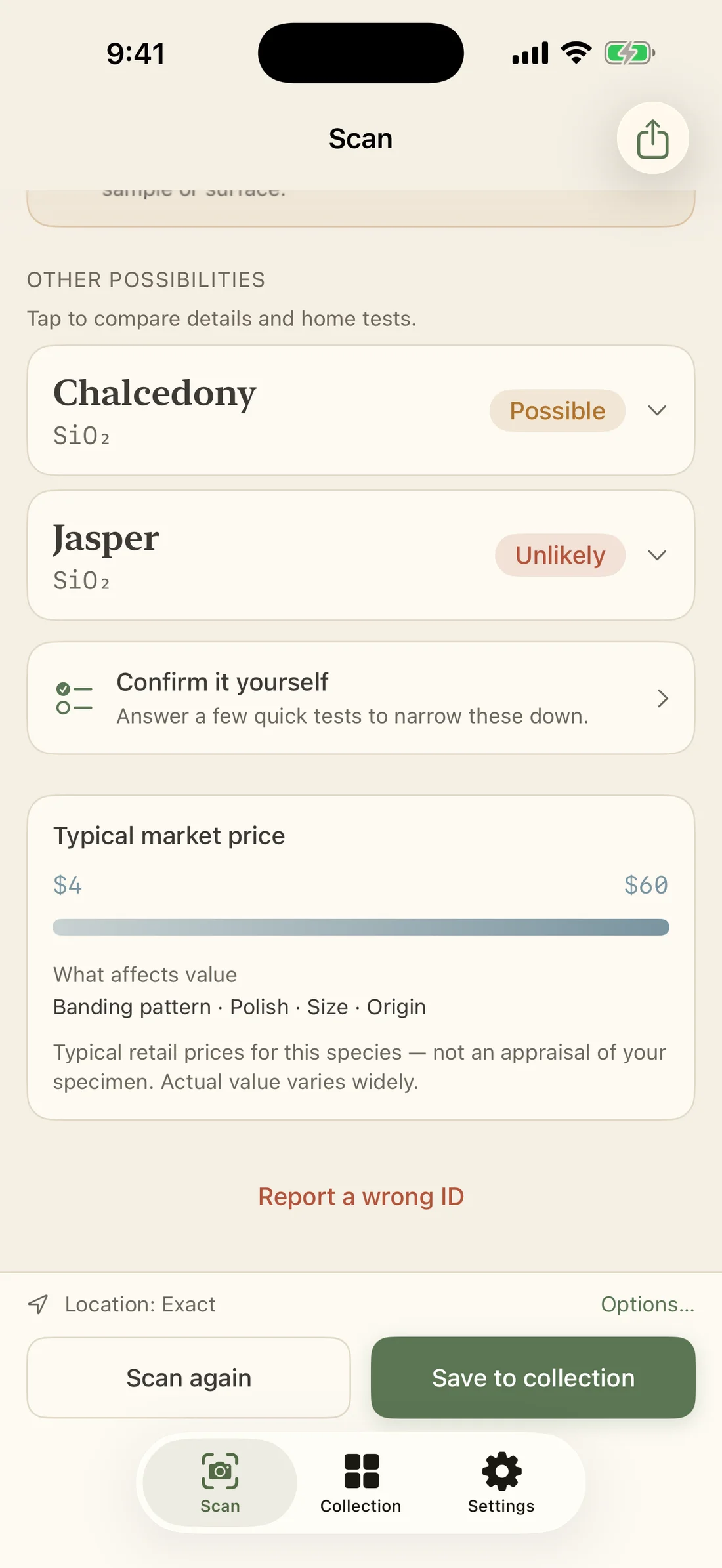
Is it agate? Could it be jasper? RockLens gives you a best match and two alternatives, with confidence labels to help you compare. Open a candidate to explore its family, formula and properties.
Confidence is shown in words, from Strong match to Unlikely.
02 / Take a closer look
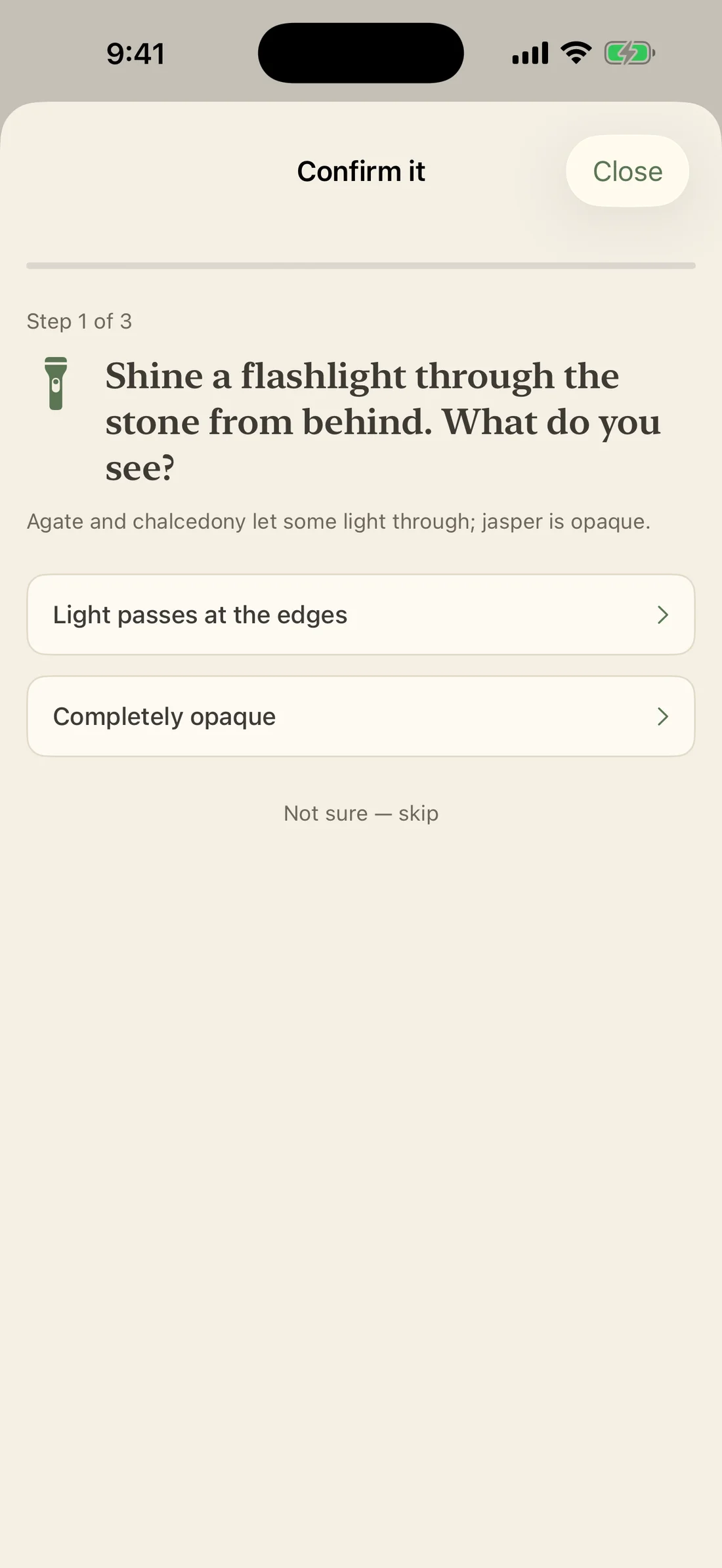
Look at the bands. Hold it to the light. The suggested checks help you notice details a photo alone can miss, with explanations of what each observation might mean.
Each check is something you can try at home.
03 / Keep your finds
Jot down where you found it, who you were with or why you stopped to pick it up, and keep the note with the photo.
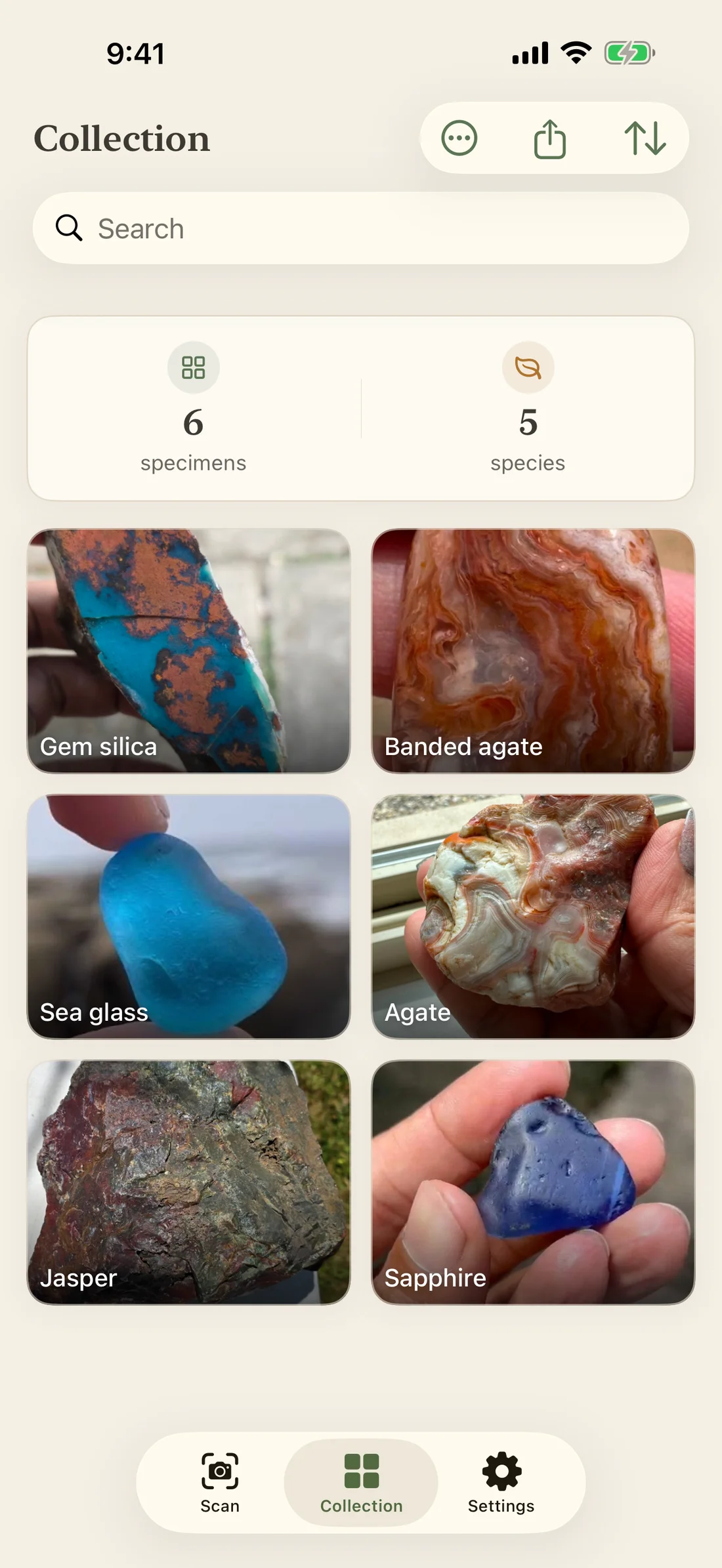
Save your specimen photos and identification details together.
Add your own notes and an optional location for each find.
Browse your saved specimens offline, with no account required.
Your collection is free to keep, with or without Premium.
Market prices / Premium
Premium shows typical retail ranges for a species when reliable data is available, along with the qualities that can raise or lower a price.
Size, quality and treatment all affect what a specimen sells for.
Good to know
Similar minerals can look alike in photos. Use the ranked matches and suggested checks to investigate further.
A photo recognized as something other than a rock, crystal, gem or jewelry won’t count toward your allowance.
Your specimen’s value depends on its individual qualities. The ranges shown are general information about the species.
Identification guides
Use hardness and cleavage to tell two similar-looking minerals apart.
Read the comparison →02 · Natural or manufactured?Learn what bubbles, surface details and scratch tests can tell you.
Read the guide →03 · Patterns and lightCompare bands and translucency, and learn why a glowing edge alone cannot settle the identification.
Read the comparison →From the blog
Heavy, magnetic and dark-crusted? Check the signs geologists list for meteorites, the features that rule one out, and who can confirm a find.
Read articleA round, knobby shell and a light feel for its size are good signs. See what those clues can’t tell you, and how to open a possible geode safely.
Read articleFAQ
Results can be wrong, especially when minerals look similar or the photo lacks detail. RockLens suggests three candidates with checks to help you compare them. Use a qualified professional when you need a definite identification.
Identification needs an internet connection. Scans taken offline are saved for identification when you reconnect. You can browse your saved collection offline.
Your first 3 full scans are free, and the collection journal stays free to use. Premium includes up to 50 scans per day, typical price ranges, scans from up to three angles and collection export.
Scan photos are sent for identification and aren’t used for advertising tracking. Your saved collection stays on your device. Read the privacy policy for provider details and retention periods.
With Premium, RockLens shows typical retail ranges for a species when data is available. It cannot appraise your individual specimen; size, quality, treatment and other factors can change its value substantially.
Yes. RockLens works on iPhone with iOS 17 or later.
Your first 3 scans are free, and your collection stays free with or without Premium.